Fandom-aware setup
Name the fandom, world, timeline, or AU so the draft starts from the right context instead of a generic story prompt.
Use an AI fanfic generator to turn a fandom idea into a usable draft. Add your characters, ship dynamic, trope, tone, and scene idea, then generate an opening you can revise, save, or continue into a longer fic with canon notes and continuity memory.
Start with the story problem and scene pressure that make the moment worth writing, then let the generator create a scene you can keep shaping.
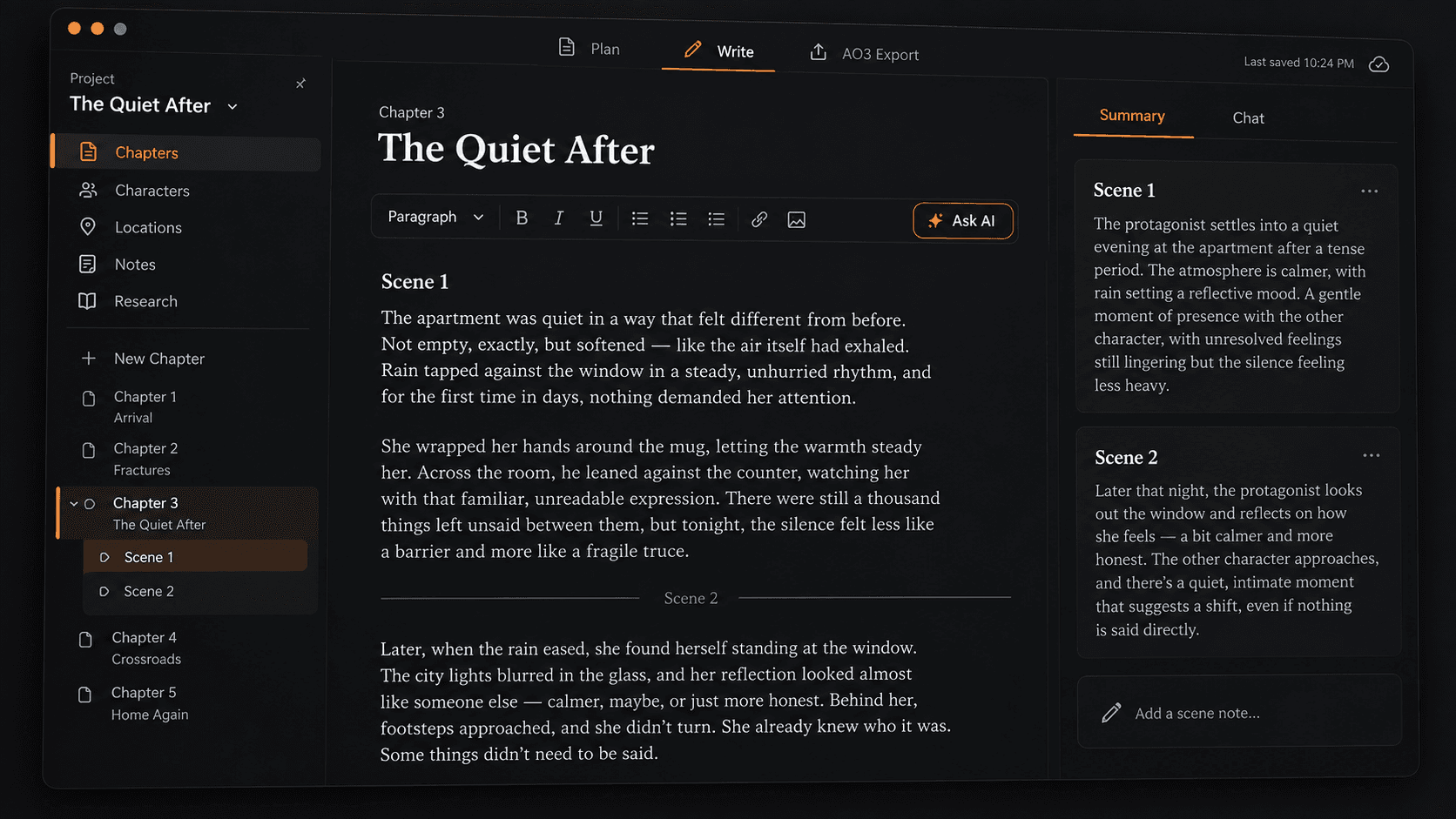
Move from a quick generated opening into a focused workspace where chapters, scene summaries, context, and AI drafting stay beside the manuscript. The result feels less like a one-off prompt box and more like a place to keep a long fic alive. You can keep working after the first output: rename chapters, revise scenes, compare summaries, and bring only the relevant notes into the next AI request. For writers comparing tools, the AI fanfic generator is the fast starting point, while the studio is where a promising scene becomes a fic you can keep shaping.
What it does
An AI fanfic generator gives you a fast way to turn a fandom idea into a usable opening. Start with the fandom, characters, relationship dynamic, trope, tone, and scene pressure, then generate a draft you can keep writing from instead of staring at a blank page.
When the idea is worth developing, save it into Fanfic Studio. Unlike a generic story bot, an AI fanfic generator for longfic needs room for chapter structure, scene summaries, canon notes, character relationships, and revision decisions. There you can plan chapters and scenes, keep summaries beside the manuscript, turn selected text into notes, and use chat to draft passages that you can accept, reject, or regenerate before they become part of the story. The workflow is built for writers who want momentum without giving up control over voice, pacing, or continuity.
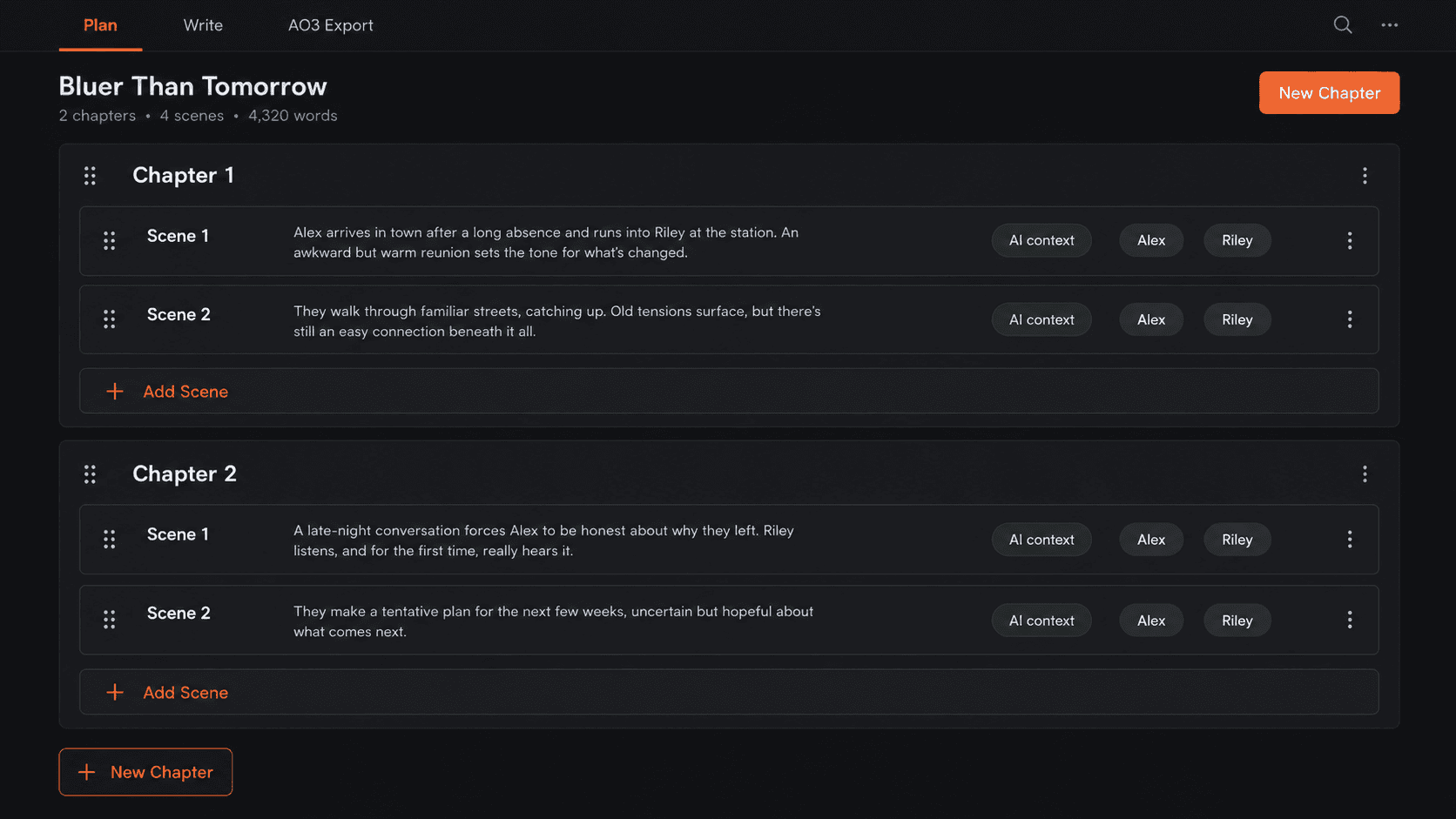
Break a longer fic into chapters and scenes before you start expanding prose. Add scene summaries, tag the characters involved, and choose what belongs in AI context so future drafts stay aware of the story you already planned. A better AI fanfic generator should know what already happened, not make you re-explain the fic every time you ask for help. That matters when a slow-burn arc depends on a private promise, a mission timeline, or a canon rule that should still shape scenes several chapters later.
Keep the arc visible instead of scattering beats across separate docs.
Capture what changes in each scene before turning it into manuscript text.
Mark the notes and scenes the assistant should remember while drafting.
Workflow
Use the homepage generator to describe the moment: who is there, what changes, and what pressure makes the scene worth writing.
Turn a promising opening into a project so the draft, chapters, scene notes, and future revisions stay together.
Break the fic into chapter and scene beats, add summaries, tag characters, and choose what should stay in AI context.
Draft in the manuscript editor while scene summaries, notes, and chat stay close enough to guide the next paragraph.
Let the assistant suggest manuscript text, then accept, reject, or regenerate it before it becomes part of the story.
Features
Fanfiction has its own writing problems: canon memory, ship dynamics, trope expectations, and readers who notice when the timeline stops making sense. The AI fanfic generator is designed around those writing habits, so the output can become part of an actual draft instead of stopping at a neat premise.
Name the fandom, world, timeline, or AU so the draft starts from the right context instead of a generic story prompt.
Write romance, rivalry, found family, mentor-student, team bonds, or non-romance character scenes.
Start with fanfic-native patterns like slow burn, hurt/comfort, enemies to lovers, canon divergence, missing scene, and fix-it.
Keep important facts, timeline rules, powers, relationships, and world details close to the draft.
Move promising ideas into a project where chapters, character notes, and unresolved threads stay organized.
Use each generated scene as a draft to edit, reshape, or expand instead of treating it as a locked final answer.
Use cases
Direct answers about prompts, ships, longfic, privacy, and using AI for fanfiction drafts.
Pricing
Choose a plan by how much output you want Type to write for you each month.
Trying Type for the first time
10,000 trial credits
Trial credits do not renew.
Start with enough output credits to test the writing flow before choosing a paid plan.
Short stories and light writing
500,000 credits/mo
Billed annually as one payment of $96.
Perfect for shorter form content, warmups, and a few active stories.
Long-form fanfic, novels, and screenplays
1,500,000 credits/mo
Billed annually as one payment of $192.
Great for longer works where planning, revision, and continuity matter.
Heavy editing, publishing, and multiple projects
6,000,000 credits/mo
Billed annually as one payment of $768.
Ideal for frequent publishing, deep revision, and multiple active longfics.
Credits are only used when Type writes output for you.
Reading your context, notes, drafts, and style instructions does not directly reduce your credits.
Advanced models may use more credits per output token.
Go back to the generator, adjust the fandom, ship, trope, tone, and scene idea, then create a new fanfic opening.